Accessible gallery with AI narration and a camera framing assistant
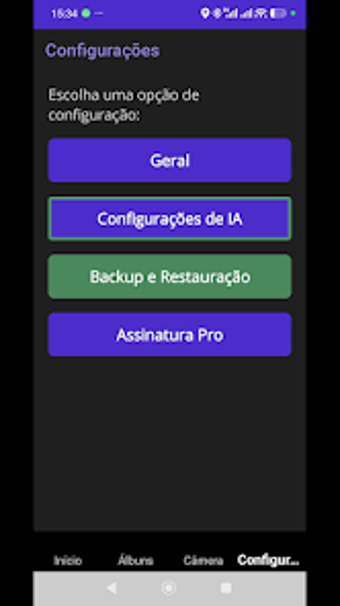
Experience AcessGallery by M.R Fernandes, an Android utility that helps blind and visually impaired users navigate photo and video collections. The app turns images and clips into spoken descriptions and synchronized narration, using OCR and an AI-powered chat to answer questions about media. Core features include offline face detection, a real-time camera framing assistant, and screen-reader-optimized navigation. It targets visually impaired individuals who need autonomous, privacy-minded access to local visual media.
What does AcessGallery do for visually impaired users?
The app converts static images and video frames into spoken descriptions, using an AI Image Description engine and Video Audio Description that narrates scenes as a clip plays. In addition, OCR reads text found in photos aloud, and an interactive AI chat accepts follow-up questions about a selected frame. These capabilities together let a user explore content without sight, addressing the core problem of understanding local visual media.
Does AcessGallery affect device performance during use?
Core gallery management and face detection operate entirely offline, so basic functions run without network dependency and without transmitting media. Moreover, the camera framing assistant uses on-device face detection to give real-time audio feedback while composing shots, limiting background data use. Advanced AI descriptions require an internet connection and a configured API key, which isolates heavier network activity to explicit features the user enables.
Is AcessGallery safe and respectful of privacy?
The developer designed the app without ads and without mandatory accounts, and the app stores a user-supplied API key only on the device. In addition, on-device face detection handles framing tasks locally, preventing constant uploads for that feature. These design choices reduce remote data exposure for typical gallery and camera workflows, while networked AI features remain optional and require explicit configuration.
Do users need technical knowledge to operate the app?
Every screen includes descriptive labels and status announcements for screen readers, and the interface provides large touch targets for accessibility. Nevertheless, enabling Google Gemini–powered descriptions requires the user to configure an API key, so some setup knowledge or assistance is necessary to unlock the app's advanced conversational image analysis. Basic narration, framing, and OCR work without that configuration.
Clear practical choice for independence in managing visual media
AcessGallery is a practical option for blind and visually impaired users who need spoken descriptions, OCR, and on-device framing guidance. Its privacy-first choices and screen-reader labels support safe everyday use. One trade-off is that the deepest AI description features depend on a configured external API key, so full conversational analysis requires an additional setup step.